Conversational AI
Point the camera, ask out loud, save the frame you choose.
Faurenis Vision streams the sharpest recent frame from a phone or intraoral wand while you talk, answers out loud in real time, and files the photo you hold into the patient’s imaging — only when you save it.
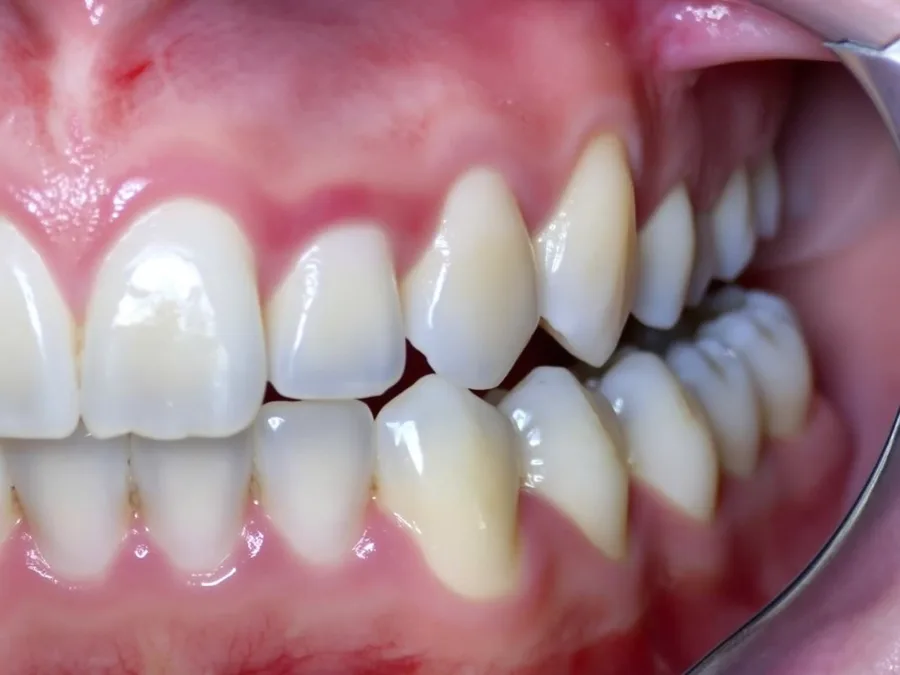
Vision
Camera live · pointing at lower left
- 01
- Phone or intraoral wand
- 02
- Tap to freeze
- 03
- Saved only on your tap
- 04
- Patient-bound
The workflow problem
Intraoral photos are easy to take and hard to file.
The camera is in one hand, the patient in front of you, and the record on a screen across the room. Photos end up on a phone, a USB stick, or nowhere.
- 01
A blurred frame is the usual frame.
A camera held over an open mouth is never still; the shot you get is rarely the one you meant to take.
- 02
Photos live outside the record.
Pictures taken on a phone or a separate capture program have to be found, renamed and uploaded later — if they are at all.
- 03
You cannot type and hold the camera.
Asking a question about what is on screen means putting the camera down, or waiting until after the visit.
- 04
The wrong patient is one upload away.
Filing a photo by hand after the visit is exactly where an image lands in the wrong chart.
How Faurenis solves it
See, ask, hold, save — in that order.
Faurenis Vision is designed around the clinician’s hands: the camera streams while you talk, a tap holds the view, and a second tap files it to the patient you are treating.
Phone or intraoral wand
Start on the phone’s rear camera, or switch to a USB intraoral wand. Each frame is labelled with the camera it came from.
Sharpest frame sent
Of every few frames, the sharpest is sent — so a moving hand does not mean a blurred view.
Faster while you speak
Two frames a second while you talk, one while you are silent, so the question meets the view you are on now.
Tap to freeze
Hold the exact view you want to talk about; Faurenis keeps looking at the held frame until you resume.
Spoken talk-back
Ask out loud and hear the answer in real time. A tap stops the answer when you have heard enough.
Save to the visit record
Save a held frame and it is filed as an intraoral photo in the patient’s imaging, linked to the visit.
Torch and close focus
Where the device supports it, the torch lights the oral cavity and the camera holds close-range focus.
How it works
A six-step capture that never saves on its own.
The clinician decides what is held, what is asked, and what is saved. Faurenis speeds up the capture, never the decision.
- 01
Open Vision for the patient
Launch Vision from the workspace with the patient open; camera and microphone open together in one tap.
- 02
Point the camera
Use the phone or an intraoral wand. Vision streams the sharpest recent frame while the camera is live.
- 03
Ask out loud
Ask about what is in view. Frames speed up while you speak, so the answer is about the view you are on.
- 04
Hold the frame
Tap to freeze. Faurenis keeps the held frame while the conversation continues.
- 05
Hear the answer
The answer is spoken in real time. What goes into the record is what you note — the answer itself is not saved as a finding.
- 06
Save to the chart
Clinician-controlledTap save and the frame is filed as an intraoral photo in the patient’s imaging, linked to this visit. A retry never creates a duplicate.
Where the time goes
Photos in the record before the patient leaves.
Illustrative comparison of seconds from taking an intraoral photo to having it filed in the patient’s record. Real numbers depend on the hardware and the team’s workflow.
- Frames while you speak
- 2 fps
- One frame a second while you are silent; two while you talk.
- Sampled per send
- 3 frames
- The sharpest of them is the one Faurenis sees.
- To hold a frame
- 1 tap
- Tap-to-freeze keeps the view you chose while you ask about it.
- Photos saved without your tap
- 0
- A frame reaches the patient’s imaging only when the clinician saves it.
Example workflow data
Seconds from photo to filed in the record, by approach.
Stylised view of the time it typically takes to get an intraoral photo from the camera into the right patient’s record across three approaches.
Safety and governance
The camera sees. The clinician decides what is kept.
A live camera in the operatory is sensitive. Faurenis treats it that way: patient-bound, saved only on an explicit tap, and closed the moment Vision closes.
Patient-bound saving
Save appears only with a patient in context; the photo is filed to that patient’s imaging and linked to the visit.
Saved only on your tap
Nothing is filed while the camera streams. A frame reaches the record only when the clinician holds it and taps save.
Talk-back is not a finding
Spoken answers are assistance in the moment. What enters the record is what the clinician notes and saves.
No duplicate uploads
Each held frame carries one capture key, so a retried save never creates a second study.
Camera closes with Vision
Closing Vision stops the camera — including one still starting — so it never stays open in the background.
Clinic-controlled availability
Vision is available only where the clinic’s live-voice policy allows it, for the voices and contexts that policy names.
Built around the team
Where Faurenis Vision earns its place.
The roles below describe how the camera surface shows up in real chairside use across a dental team.
- For dentists
Hold the view, ask the question, keep the photo — without leaving the patient or the conversation.
- For hygienists
Capture recall photos into the record as you go, instead of filing them at the end of the day.
- For assistants
Hold the wand while the clinician talks; the photo lands in the right chart with one tap.
- For practice managers
Intraoral photos in one place, linked to the visit, instead of on phones and USB sticks.
- For compliance and admin
Patient-bound capture, explicit saves, and no photo filed without a clinician’s tap.
Continue exploring
Designed to work together.
- Voice OSThe voice layer under every surface — commands at once, questions to Copilot, safety actions read back.
- Faurenis CopilotThe in-chair clinical co-pilot — relevant information from the record, side by side.
- ImagingPilotRadiographs and photos, arriving inside the same record. Open to selected clinics.
See it chairside
Bring a phone. We will capture a visit live.
A 30-minute walkthrough with your own phone or intraoral wand: live frames, a spoken question, a held frame, and a photo saved to the visit.
Designed for dental teams. AI-assisted, clinician-controlled.
Camera views and spoken answers shown here are illustrative. In Faurenis, Vision documents what the clinician holds and notes; spoken answers are not saved as findings, and no photo is filed without the clinician’s explicit save.